Convert TIFF to HEIC Online
Convert large TIFF images to space-saving HEIC files.


Drop your TIFF file here
or click to select
How TIFF to HEIC works
Upload TIFF
Drag & drop or click to select your TIFF file.
Choose Options
Adjust quality, size, or other output settings if needed.
Download HEIC
Click Convert and your HEIC file downloads instantly.
About TIFF to HEIC conversion
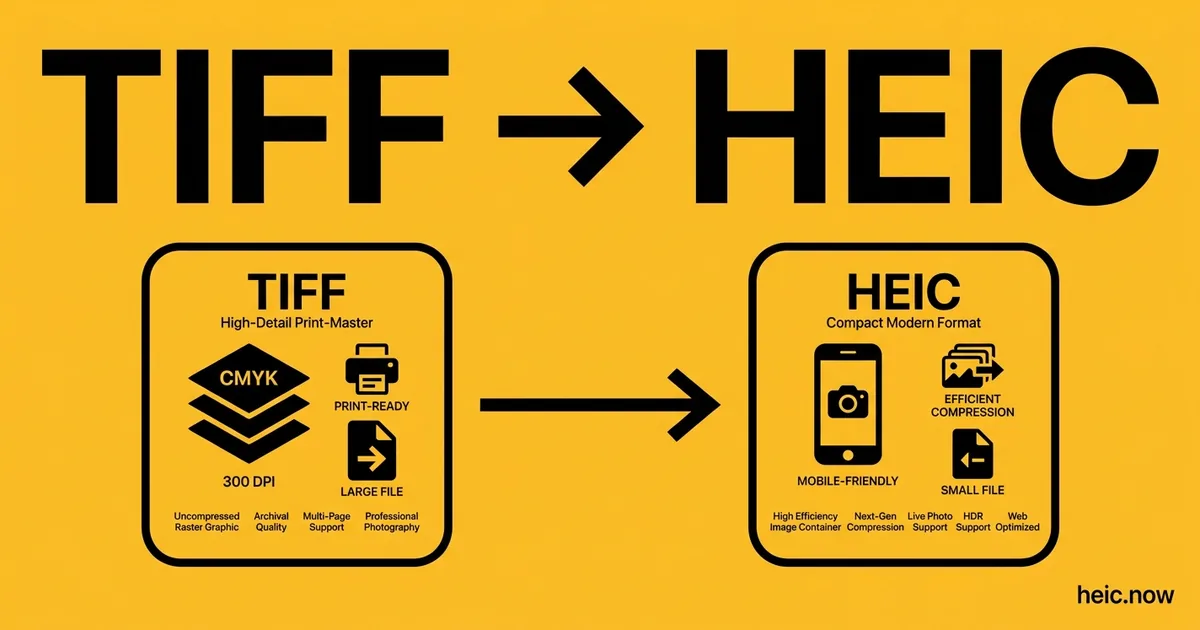
TIFF files are the professional standard for scanned documents, medical imaging, satellite imagery, and publishing workflows. They preserve every pixel at full depth (often 16 bits per channel) and can be very large - A scanned A4 page at 600 DPI as TIFF is typically 50–150 MB. Converting to HEIC reduces this to a few megabytes, thanks to HEVC compression that is roughly twice as efficient as JPEG.
HEIC is an unusually good target for high-quality TIFF masters because it supports 10-bit colour - Where a JPG export would crush 16-bit tonal data down to 8 bits, HEIC retains substantially more of the original tonal range. That makes TIFF→HEIC attractive for personal archives of scans and edited photographs where storage matters but quality should degrade as little as possible.
Multi-page TIFFs (used for multi-page scanned documents) require special handling. Each page can be extracted as a separate HEIC, similar to converting a multi-page PDF. As always with HEIC, verify the destination: Apple devices and modern Adobe tools open it natively, but legacy publishing systems and Windows without the HEVC codec will not.
Where HEIC comes from
TIFF (Tagged Image File Format) was created in 1986 by Aldus Corporation (later merged into Adobe) to standardize scanner output for desktop publishing on PageMaker. Its tag-based container could embed multiple resolutions, color spaces, ICC profiles, and even vector annotations, which made it the default deliverable for print shops, medical imaging (DICOM extensions), GIS, and museum archives. Adobe still publishes the TIFF 6.0 specification (1992) unchanged. TIFF remains the gold-standard archival raster format, but its multi-megabyte files are hopeless on mobile devices — converting derivatives to HEIC keeps 10-bit tonal depth while cutting size by 95 percent or more.
TIFF vs HEIC at a glance
| TIFF | HEIC | |
|---|---|---|
| Compression | LZW, ZIP, or uncompressed (lossless) | HEVC intra-frame (lossy or lossless) |
| Typical file size (24 MP scan) | 70-140 MB | 2-5 MB at quality 85 |
| Bit depth | Up to 32 bits/channel float | 8 or 10 bits/channel |
| Layers / pages | Multi-page and layered supported | Multiple images per container |
| Best for | Print, archival, scientific imaging | Apple devices, mobile viewing, storage savings |
Real-world workflow — Museum builds an iPad gallery set from its TIFF masters
- Pull the 600 MB 16-bit TIFF master of an oil painting from the conservation server.
- Drop the TIFF into the TIFF to HEIC converter, set quality 90 in 10-bit to keep the tonal depth.
- Generate three derivatives: 4000 px hero, 1600 px gallery, 480 px thumbnail.
- Inspect on a calibrated display to confirm no shadow banding or red-channel clipping.
- Load the HEICs onto the docent iPads, where they open instantly and take a fraction of the space.
Recommended conversion settings
| Use case | Settings |
|---|---|
| iPad gallery from a 16-bit TIFF scan | Quality 90, 10-bit, Display P3 |
| Photographer client proof | Quality 88, sRGB, strip GPS metadata |
| Long-term working copy | Lossless HEVC, 10-bit, embed ICC profile |
| Lightweight catalog thumbnail | Quality 70, 800 px long edge, strip all metadata |
Where will your HEIC file open?
| Platform | TIFF | HEIC |
|---|---|---|
| macOS Preview | ✓ | ✓ |
| Windows Photos | ✓ | ~ |
| Outlook (desktop) | ~ | ✗ |
| Gmail | ✗ | ~ |
| iPhone Photos | ~ | ✓ |
| Android gallery | ✗ | ~ |
| Photoshop | ✓ | ✓ |
| Chrome / Safari / Firefox | ✗ | ~ |
| Slack / Discord | ✗ | ✗ |
When to convert TIFF to HEIC
Older raster formats are storage-hungry: BMP stores pixels uncompressed, TIFF archives routinely run 50–200 MB per scan, and even GIF is inefficient by modern standards. Converting these to HEIC collapses the files to a small fraction of their original size while keeping the visual content intact - Often a 90%+ reduction for BMP and uncompressed TIFF sources.
The typical use case is archive modernisation on Apple hardware: folders of legacy scans, exported frames, and old graphics converted to HEIC take up far less space on a Mac or in iCloud, and open natively in Preview, Photos, and Quick Look without any extra software.
HEIC encoding is lossy by default, so keep the original files when they serve as archival masters - Particularly lossless TIFF scans of documents or artwork. For everyday reference copies and personal archives, the space savings usually outweigh the invisible quality trade.
TIFF to HEIC tips
- Use quality 90%+ when converting professional TIFF images to preserve maximum detail in the HEIC output.
- HEIC's 10-bit support preserves more of a 16-bit TIFF's tonal range than an 8-bit JPG would - But for true archival masters, keep the original TIFF.
- If your TIFF file has multiple pages, each page is extracted as a separate numbered HEIC.
Related tools
Formats involved
TIFF – Tagged Image File Format
HEIC – High Efficiency Image Container
TIFF to HEIC — frequently asked questions
Related guides & articles
Maybe you wanted something else?
- If the derivative must stay lossless → HEIC to PNG
- If the TIFF is a multi-page scan bound for review → HEIC to PDF
- If the images must display in every browser → HEIC to JPG
- If you only need lighter HEIC files → Compress HEIC
Related conversions
 JPG → HEIC
 PNG → HEIC
 WebP → HEIC
 PDF → HEIC
 RAW → HEIC
 BMP → HEIC
 SVG → HEIC
 GIF → HEIC
 HEIC → HEIC
Embed this tool on your website